
User Info Export (Customers)Allows you to download all of the customer information in your website to export to other programs such as marketing or CRM (Customer Relationship Management). Step 1: To gain access, you will need to log in to the backend of your wbesite. Step 2: Once you are logged in, located the gray bar. Hover over "Tools". A number of options will now be available but we want to hover down the list to "User Info Export" and click it. 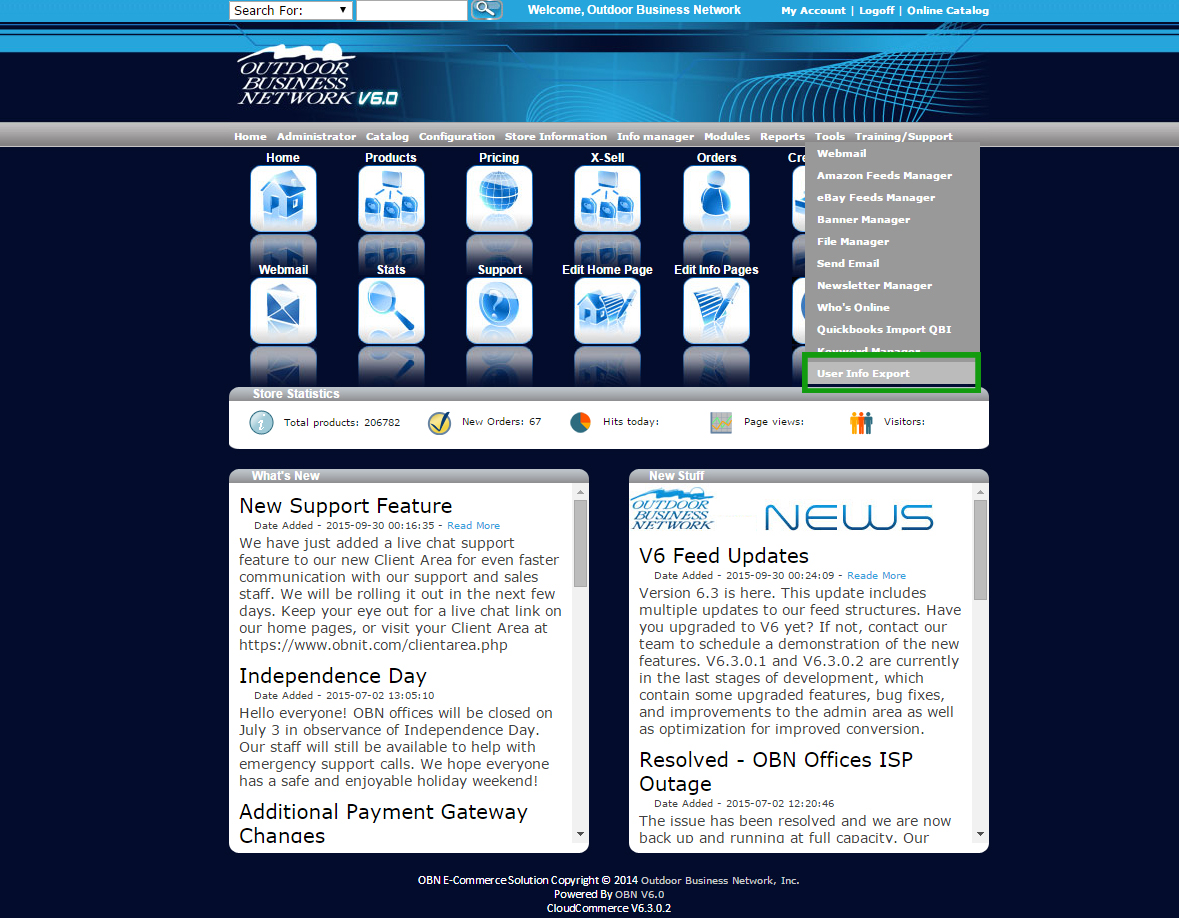 Step 3: Click on the link shown on the page to download your customer information which will give you the CSV file. 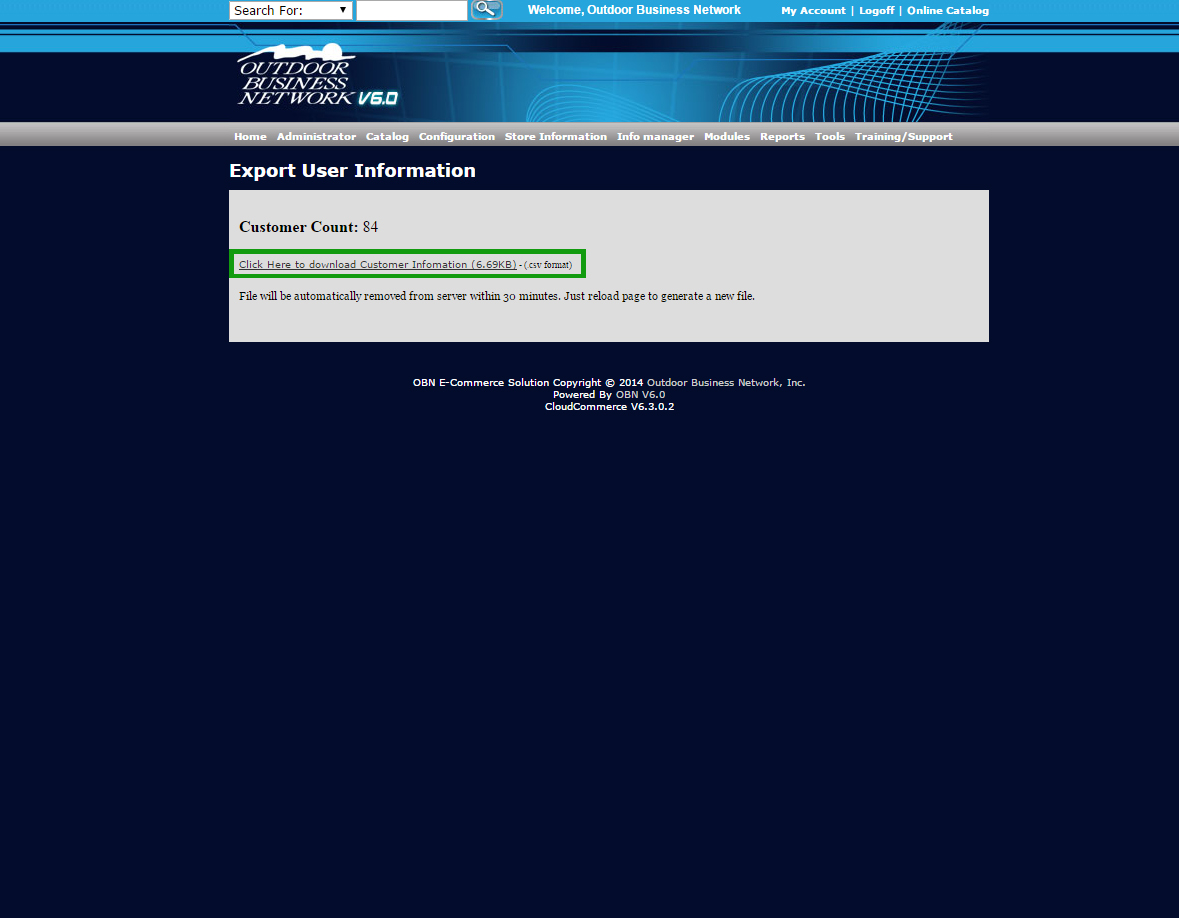 Need help? Have questions or don't have the time? Be sure to give us a call at 800.699.0820. We are here to help. You can also bring up any issues by using our ticket system. Hope this tutorial was helpful. |
- 0 Users Found This Useful